


Affiliate marketing is a great source to make money through WordPress, but you will need the proper plugins. This helps manage your links, keeps track of how they are performing, makes some attractive banners for promotion, and perfects your marketing strategy as a whole.
Fortunately, WordPress offers numerous plugins that may make working with affiliate marketing easier. If you are a content creator, these tools may come in handy to optimize your affiliate links. On the other hand, if you have an online business, you may use plugins to create a very successful affiliate program.
Here, within this post, we’ll explain what affiliate marketing is and what to look for in a WordPress affiliate plugin and we will share our handpicked list of the best WordPress affiliate marketing plugins and plugins.
What is Affiliate Marketing?
An affiliate marketing is a relationship which is a win-win between companies and affiliates. Companies provide through their affiliate program, an opportunity for individuals to promote the company’s products for which they earn commission on sales generated through their specific links. Thus, companies can expand their marketing reach without recruiting more members into their team.
What is a WordPress Affiliate plugin?
An affiliate WordPress plugin for WordPress enables one to track, manage, and make money on affiliate links present on a WordPress site. These are just link additions or a way to put links for different products or services that one wants to offer where you would have a percentage payback or gain when they are clicked upon and purchased via them. This then helps to organize an effective running affiliate program that is operated internally. It means that especially beginner marketers can seek help from the plugins to build their affiliate marketing program.
Features to look for in a WordPress Affiliate plugin
Affiliate program integration: Select plugins that work with sites such as Amazon Associates, CJ Affiliate and ShareASale to make access to products easier.
Customizable links and banners: Look for link cloaking, keyword addition, and branding to increase clicks and engagement.
Advanced tracking: Knowing the statistics of your clicks, conversions, and revenue allows for strategies driven by data.
SEO-friendly link cloaking: This maintains clean URLs, enhancing click-through rates and ensuring that it is SEO friendly Google compatible.
Auto-link insertion: Saves lots of time to auto-link specified keywords while enhancing monetisation.
Geo-targeting: Directs the user to regional stores. Conversions will be improved since offers are localised.
Compatible: Friendly with almost all essential plugins like SEO, caching, and security tools.
Regular updates and support: It will ensure compatibility with WordPress updates and expedient issue-resolution support.
Policy compliance: Affiliate program policies and their respective disclaimers could be supported while maintaining visitor trust.
List of 10 Best WordPress Affiliate Marketing Plugins
1. Pretty Links

Pretty Links is the best affiliate link management plugin for WordPress, and more than 300,000 websites trust it.
Pretty Links enables customers to build, manage, and track outbound links from their WordPress site. In return, customers can create shortened URLs that assist in tracking the clicks, the redirection, as well as any success in a campaign through adverts. The link cloaking of an affiliate product is also incorporated into the add-on. Therefore, users have the opportunity of hiding their connections with affiliates hence enhancing user experience.
Key Features
- Creating clean and simple URLs on your website (using only 301, 302, and 307 redirects)
- Generating random or custom URL slugs
- Tracking the number of clicks on each link
- Generating easy-to-understand reports
- Viewing click details such as IP address, remote host, browser, operating system, and referring site
- Passing custom parameters to your scripts through pretty links while maintaining full tracking capability
- Excluding specific IP addresses from the statistics
- Utilizing a cookie-based system to track visitor activity across clicks
- Creating nofollow/noindex links
- Enabling or disabling tracking for each individual link
- Using the Pretty Link Bookmarklet for convenient link management
- Effortlessly updating redirected links to new URLs
Pros
- We liked that Pretty Links lets you redirect multiple links to the same destination, schedule redirects to launch at a specific time, and group and organize links together.
- Upon evaluation, we discovered that you can use it to create an attractive affiliate product box.
- It can password-protect your links, comes with custom redirects for different regions, performs A/B testing, and can integrate with popular marketing tools.
- Pretty Links shows detailed link reports in your WordPress admin dashboard. This allows you to see which affiliate links are doing better on your website.
Cons
- Pretty Links has a free plan, but most of the features can only be unlocked by upgrading to the pro version.
Pricing: The beginner plan starts at $99.60 per year for a single-site license.
2. ThirstyAffiliates

Another super-strong WordPress affiliate link management tool is ThirstyAffiliates, with which you will manage all of your affiliate links directly in the WordPress dashboard.
The functionality that it has for instant inserting links in the post, link cloaking, automatic affiliate links, export of analytics, even monitoring performance for every single link, you will sort out the links with categories and find easier how to work with an affiliate partner.
Thirsty Affiliates makes it easy for any affiliate marketer to stealthily cloak links all from within the WordPress dashboard. It makes the addition and management of affiliate links in WordPress simple. All the affiliate marketer needs is to add and manage all his or her affiliate links in the user-friendly dashboard offered by this plugin. In addition, Thirsty Affiliate has a very potent link-cloaking tool that can help prevent your affiliate links from being modified or banned by ad blockers. The reporting system is also complete to monitor the effectiveness of your affiliate links.
Key Features
- Autolink Keywords
- Amazing Reports
- Geolocation Links
- Smart Uncloaking
- Proactive Link Fixer
- Automatic 404 Checker
- CSV Import/Export
- 3rd Party Link Importing
- Google Analytics Events
Pros
- When researching, we discovered that ThirstyAffiliates can integrate with powerful tools like Zapier and Google Analytics.
- It can schedule link redirection to launch at a specific time.
- We were really impressed upon finding that the plugin can optimize links for social sharing and SEO.
- It also comes with custom redirects, a broken link checker, and geolocation redirects.
- ThirstyAffiliates lets you manage affiliate URLs for custom post types separately.
Cons
- It has a free plan, but some of the features can be unlocked in the pro version.
- While testing ThirstyAffiliates, we realized that it doesn’t have a built-in split testing feature for comparing affiliate landing pages.
Pricing: The Basic plan costs $99.60 per year for a single-site license. It comes with a 14-day money-back guarantee.
3. MonsterInsights

Being an intelligent affiliate marketer, you will need to know which articles get more traffic, where the users are coming from, and what they are doing while viewing your website.
Here is where MonsterInsights comes in. This is the best Google Analytics plugin for WordPress. It has earned the trust of 3 million websites. You will be shown actionable insights and web analytics reports within your WordPress dashboard.
We have successfully tracked affiliate links on our websites with the help of MonsterInsights, which is a reliable and efficient tool. Its user-friendly interface and powerful features make it easy to monitor link clicks, banner ads, and other outbound links.
Key Features
- Setting up Google Analytics quickly and easily
- Retaining your tracking code during WordPress theme changes
- Real-time stats displayed in your WordPress dashboard
- Accessing insights on popular posts, pages, and referral sources
Pros
- Through real time testing, we realized that if you have an online store, then the plugin can also track your eCommerce affiliate sales.
- We liked that it can track conversions from option forms that are related to your affiliate links or offers. It also connects form submissions to specific affiliate URLs.
- It can also track additional data points and integrate with email marketing services and Customer Relationship Management tools (CRMs).
Cons
- MonsterInsights has a free plan that only offers basic affiliate tracking.
- You cannot use it to create and cloak affiliate URLs.
Pricing: The Plus plan costs $99.50 per year for a single site license. It works for unlimited pages and unlimited users.
4. RafflePress

RafflePress is the best giveaway plugin for WordPress. It lets you create viral giveaways and contests on your website, which will help you quickly get a lot of traffic.
It includes a drag and drop giveaway builder that helps you run campaigns with some specific affiliate products and aids in growing an email list.
You can utilize the plugin to add a give away that induces users to buy different products using your affiliate link in the future. For more details, see our tutorial on how to run a giveaway/contest in WordPress. It provides effective methods to expand an email database, boost website traffic, and raise social media participation. With RafflePress, marketers can make giveaways very effective to improve campaigns’ performance. The plugin is incredibly feature-rich with its designs, entry mechanics, social network connections, and analytics.
Key Features
- Drag & Drop Giveaway Builder
- Viral Giveaway Templates
- Responsive Mobile Friendly Giveaway Widget
- 1-Click Entry + Fraud Protection
- Viral Sharing (Refer a Friend)
- Social Media Integrations
- Email Marketing & CRM Integrations
- Giveaway Landing Page
- Tracking and Reporting
Pros
- RafflePress is mobile-friendly and comes with giveaway templates.
- We were particularly impressed by its social media integration and viral sharing features.
- The plugin can also track your giveaway contests for affiliate products.
Cons
- The plugin’s free plan has limited features.
- Upon evaluation, we found out that RafflePress does not allow you to manage or create any affiliate links.
Pricing: The Plus plan, which is the basic plan, starts at $39.50 per year for a single site license.
5. Constant Contact

The best email marketing service is Constant Contact. It lets you reach out to your website visitors long after they leave your site.
We also liked, in testing, that Constant Contact provides the detail statistics of how your campaigns are performing and allows A/B tests to see what format users find more engaging.
Pros
- You can track clicks on your affiliate links within Constant Contact reports.
- Constant Contact lets you create beautiful email campaigns in seconds by using its drag-and-drop email builder with tons of templates.
- You can connect the tool with social media platforms and promote your affiliate products there.
- We love that it lets you build a custom landing page for affiliate URLs.
Cons
- Constant Contact does not offer a free plan.
- You cannot use the tool to manage affiliate links that you add to your email newsletters.
- It can be a bit difficult to use for beginners.
Pricing: The Lite plan costs $12 per month for a single user, and it has a 30-day money-back guarantee.
6. AffiliateWP
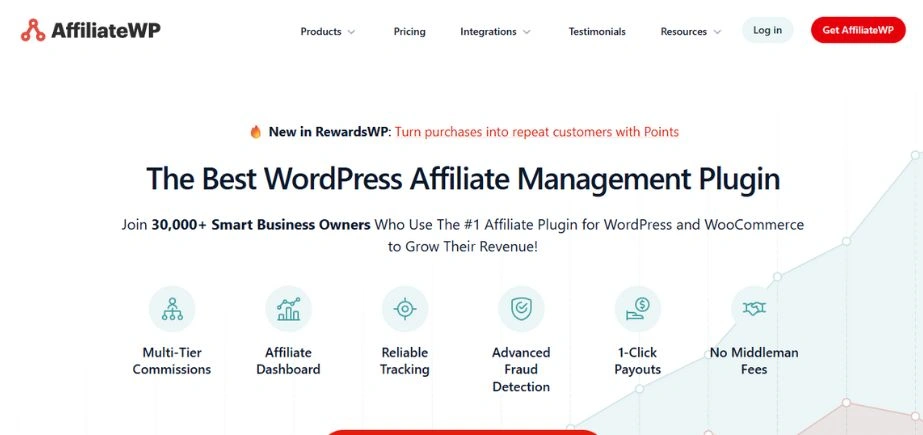
AffiliateWP is the best WordPress affiliate tracking and management tool for businesses that want to start their own affiliate programs.
You can set up your affiliate program in a few minutes. AffiliateWP makes it easy to track affiliate clicks, sales, and payments. In our testing, we found it super user-friendly, making it ideal for beginners.
AffiliateWP is a powerful WordPress plugin that helps customers to establish and operate their own affiliate network. From the WordPress dashboard, users can manage affiliates, pay commissions, and track referrals. AffiliateWP also provides a variety of solutions for marketers to make their affiliate programs better and more profitable.
Key Features
- Unrestricted number of affiliates
- Seamless integration with popular WordPress plugins, including WooCommerce, Easy Digital Downloads, Stripe (via WP Simple Pay), PayPal, Restrict Content Pro, Gravity Forms, Ninja Forms, WP Forms, and more
- Efficient tracking of affiliate coupons
- Unlimited creative options for affiliates
- Instantaneous reporting in real-time
- Dedicated affiliate dashboard for your affiliates
- Multiple referral rate options, including percentage, flat rate, and opt-in
- Flexible cookie expiration settings
Pros
- It is highly compatible with popular platforms like MemberPress, PayPal, WooCommerce, Easy Digital Downloads, and more.
- Other features that we liked during testing include a built-in affiliate dashboard, automatic affiliate creation, and a referral link generator.
- It lets you set up tiered commissions, recurring commissions, and custom commissions for programs.
- AffiliateWP also creates and manages specific coupon codes for targeted promotions.
Cons
- It does not have a free plan.
Pricing: The Personal plan starts at $149.60 per year for a single-site license. It allows unlimited affiliates and no monthly fees.
7. Semrush
Semrush is among the best SEO tools available. It’s all-in-one content creation SEO and marketing toolkit that is very effective in use for affiliate marketers.
It comes with an incredibly powerful keyword research tool, which lets you track keywords, find new ideas, see your keyword rankings, and much more. We have even used this tool on WPBeginner in the past and have had a positive experience with it.
SEMRush is a sophisticated marketing package with a variety of tools and data-driven analysis provided to companies raising their online presence and search rankings. Some key features of it include traffic analysis, competition intelligence, keyword research, etc. The platform aims to offer complete sets of tools for digital marketing that help organizations in the context of their internet success.
Key Features
- Keyword Research
- On-page SEO
- Competitor Analysis
- Content Marketing
- Local SEO
- Rank Tracking
- Social Media Management
- Link Building
- Competitor SEO Analysis
- Content Creation and Distribution
- Content Optimization
- Content Marketing Analytics
- Market Analysis
- Paid Advertising
- Competitor PR Monitoring
- PPC Keyword Research
- Website Monetization
Pros
- You can use it to run competitor analysis and see which keywords your competitors are ranking for. Semrush then provides actionable tips to beat them in search rankings with its SEO writing assistant tool.
- Our research revealed that you can use the tool to generate content ideas that are relevant to your affiliate products.
- It can improve SEO rankings for your content and track brand mentions and conversations related to your affiliate products on social media.
- It can also help find websites that could be potential sources of backlinks for your affiliate content.
Cons
- Semrush’s free plan has limited features, and its paid plan is a bit expensive for small businesses. In this case, you can use the WPBeginner Keyword Generator to instantly get 300+ new keyword ideas. You can also use the free Keyword Density Checker to find out what keywords your competitors are optimizing for.
- It is more focused on your site’s SEO than affiliate content.
- Semrush has a steep learning curve.
Pricing: The Pro plan costs $129.95 per month for up to 5 projects.
8. WP Tasty Links
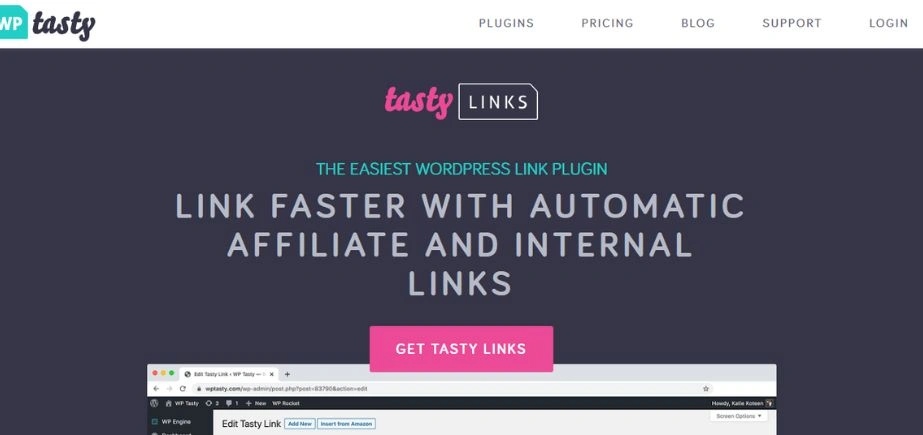
WP Tasty is a package of plugins designed for WordPress bloggers. While they did create them with food bloggers in mind, a lot of what they offer can be applied to almost any blogging niche.
You have four separate plugins you can buy or get everything with the All Access pass.
the plugin will set up link attributes appropriately for SEO and track click-through rates on the affiliate links you add to your site.
Pros
- It can automatically insert relevant Amazon images next to your affiliate links.
- WP Tasty Links offers seamless integration with Gutenberg to make link insertion easier.
- It can link relevant keywords to internal pages or products within your website.
Cons
- WP Tasty Links does not have a free plan.
- It’s not a good choice for affiliate link management if you don’t have a restaurant or food-related site.
Pricing: Each of the plugins costs $49 per year separately. You can get all the plugins for $149 per year for a single site license.
9. WPForms
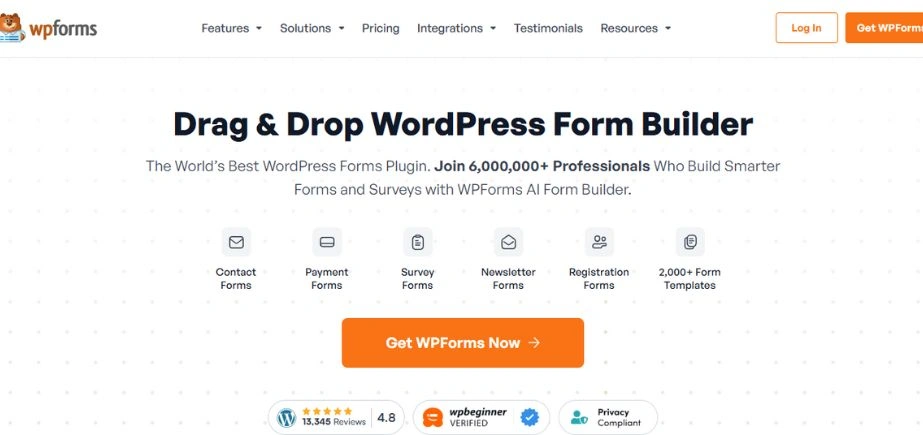
WPForms is an online form builder for WordPress in a drag-and-drop format which can help the affiliate marketer easily and quickly make contact forms, polls, surveys, payment forms, and much more. It’s highly versatile and easy to use, allowing you to make any form as needed. Conditional logic, survey tools, multi-page forms, form templates, connectors to some of the major well-known gateways for payments, email marketing, and more.
It also has a variety of pre-built templates, including an end user registration form, signup form, poll/survey form, and several more.
Key Features
- Drag and Drop Builder
- 100+ Form Templates
- Order and Payment Forms
- Surveys & Polls
- Conditional Logic
- Form Landing Pages
- Modern File Upload Field
- Email Marketing
- Form Notifications
- Conversational Marketing
- User Journey
- User Registration
- Guest Post Submissions
- Spam Protection
- Excellent Customer Support
- Form Abandonment
- Extra Features
Pros
- It integrates with popular services like Constant Contact to automatically send replies to your users.
- During testing, we discovered that it can use data for user behavior, location, and device to show different forms to users.
- All the form entries for affiliate request forms will be stored in the WordPress database.
Cons
- Some of the plugin’s features are not available in the free plan.
- WPForms does not offer any specific affiliate management features.
Pricing: The basic plan costs $49.50 per year for a single site license. It lets you create unlimited forms on your WordPress site.
10. AdSanity
AdSanity is the top ad management WordPress plugin. You can get robust display options in this to position affiliate ad banners in your header, sidebar, and footer areas.
This gives you an avenue to include affiliate links with the ads so you can have a higher number of clicks. Besides, publishing options allow you to set up start and end dates for the ads so that you can advertise only exclusive deals provided by your affiliate partners.
AdSanity is a WordPress plugin that makes managing and presenting adverts on your WordPress website easy. It has a user-friendly interface that makes creating, updating, and managing many adverts of varying sizes, styles, and placements easy. Analytics and statistics will also be displayed so you know how your advertisements are doing.
Key Features
- Display advertisements using shortcodes, widgets, and template tags
- Seamlessly integrate ads into your pages and posts using Gutenberg blocks
- Design custom ads or incorporate ads from ad networks
- Schedule start and end dates for ads
- Create ads of various sizes
- Ensure responsiveness of ads across different devices
- Organize ads into ad groups for better categorization
- Access built-in ads for added convenience
- Detect and handle ad blockers effectively
- Implement ad rotation for improved user experience
- Integrate with Google Analytics for comprehensive analytics
- Monitor views, clicks, and click-through rates (CTR)
- Filter reports by specific dates and ad groups
- Visualize statistical data with informative graphs
- Export reports as CSV files for further analysis
- Extend features using compatible add-ons
- Receive dedicated support for any assistance needed
Pros
- It allows you to cloak affiliate links.
- AdSanity lets you organize your affiliate links into groups and categories.
- We like that it lets you show specific ads based on user location, device, or behavior.
Cons
- AdSanity can be expensive for some users.
- It has a learning curve.
Pricing: The Basic plan costs $59 per year for the AdSanity core plugin .
Conclusion
WordPress Plugins are really good tools for the affiliate marketer as far as increased reach, content quality, and hence potential commissions. Do not forget to add at least a few of the plugins mentioned above that can aid your business to grow in a shorter period.
These top 10 WordPress Affiliate Plugins might help you grow your company and increase your profits, whether it’s a blog, a WooCommerce store, or digital product promotion. Ultimately, your specific needs, budgetary constraints, and business strategy will determine which of these plugins works best for you.
FAQs
Q1.What is the best WordPress plugin for affiliates?
A.There are many WordPress plugins you can use for affiliate marketing, such as MonsterInsights, Pretty Links, AffiliateWP, SEMRush, Thirsty Affiliates, etc.
Q2.How do I add an affiliate plugin to WordPress?
A.Follow the steps below to add a plugin to WordPress:
1. In your WordPress dashboard, choose Plugins > Add new.
2. Search for a plugin with the search bar in the top right corner.
3. Once you find a plugin in your search results click on Install Now.
4. In order to use the plugin, you will have to activate it.
Q3.Can I place affiliate links on WordPress?
A.You are permitted to put affiliate links on WordPress, but this will only be okay if the main reason for your blog is to create unique content. WordPress do not allow sites that exist primarily to drive traffic to affiliate links.